Platform Patterns

Data Tables

Standardizing CRUD workflows across a system of records—replacing 32 fragmented implementations with a table system used across 80% of product surfaces
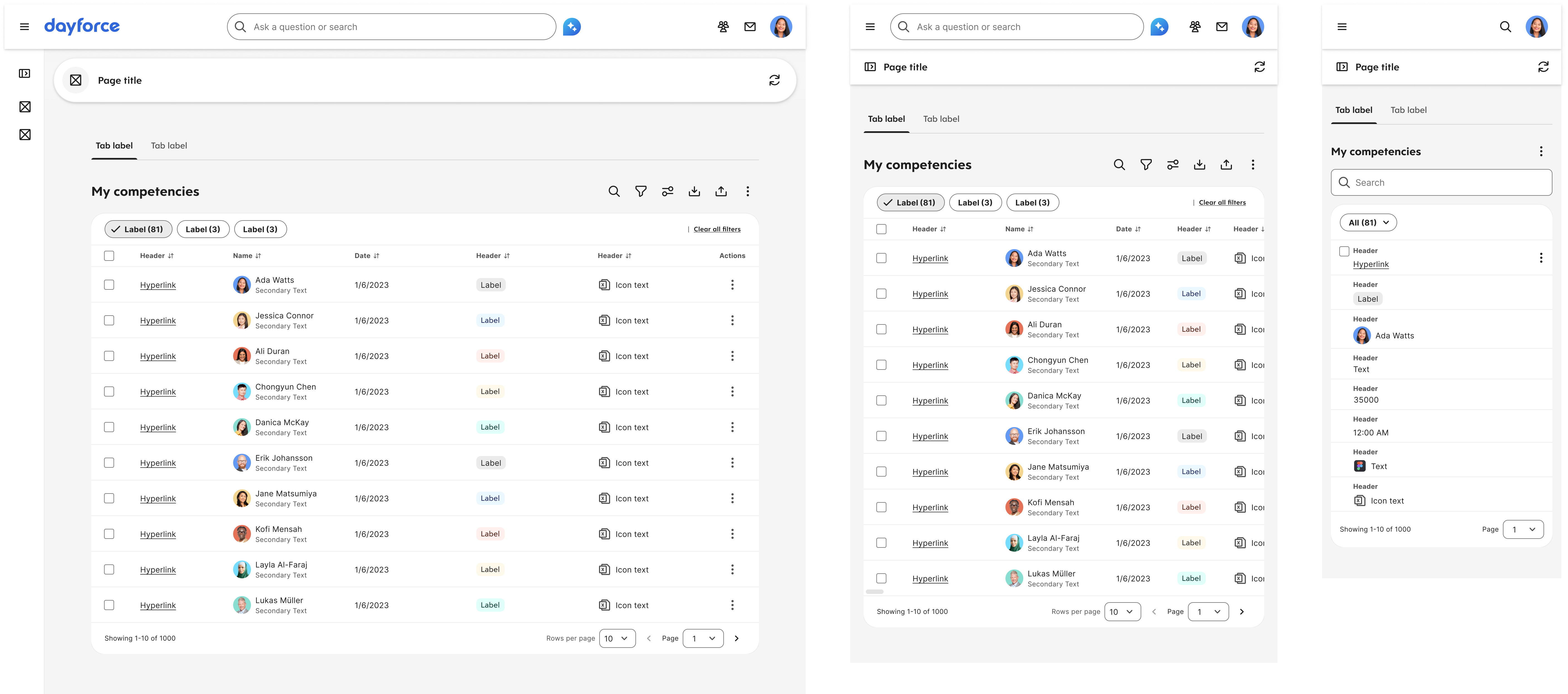
Data Tables — Employee Persona
The Problem

Dayforce is fundamentally a system of records

Nearly 80% of Dayforce surfaces depended on data tables to create, view, and manage records. But each of the 32 product teams implemented its own interaction patterns, behaviors, and editing models—creating a fragmented experience for users navigating across the product. Managers needed to quickly compare and update multiple employee records without drilling into each detail view. Employees needed predictable ways to review and confirm their own data. Administrators needed safe bulk actions across hundreds of records without risking errors. Instead, they encountered inconsistent interaction models that required relearning table behavior in every module.

The fragmentation ran deep. Recruiting teams expected inline editing. Payroll teams needed bulk selection and heavy mass-editing. Reporting teams relied on analytics views and inline filtering. No single pattern served everyone—so everyone built their own.


Sample Fragmentation Across Teams
Recruiting Team
Inline edit, bespoke layout
Built their own table with custom row expansion and a bespoke editing panel
Payroll Team
Bulk workflows, mass editing
High-value workflows requiring select-all, bulk actions, and complex state management
Reporting Team
Analytics views, inline filters
Dense tables needing column configuration, export, and analytics-style interactions
Solution

A context-driven, modular table system

Instead of forcing 32 teams to adopt a single pattern, I built a flexible template system that teams could configure for their specific use cases while maintaining platform consistency.

Rather than prescribing a single "right way," I identified reusable building blocks that teams could combine. The goal: maximum flexibility within a consistent interaction model.
01 Admin CRUD Template
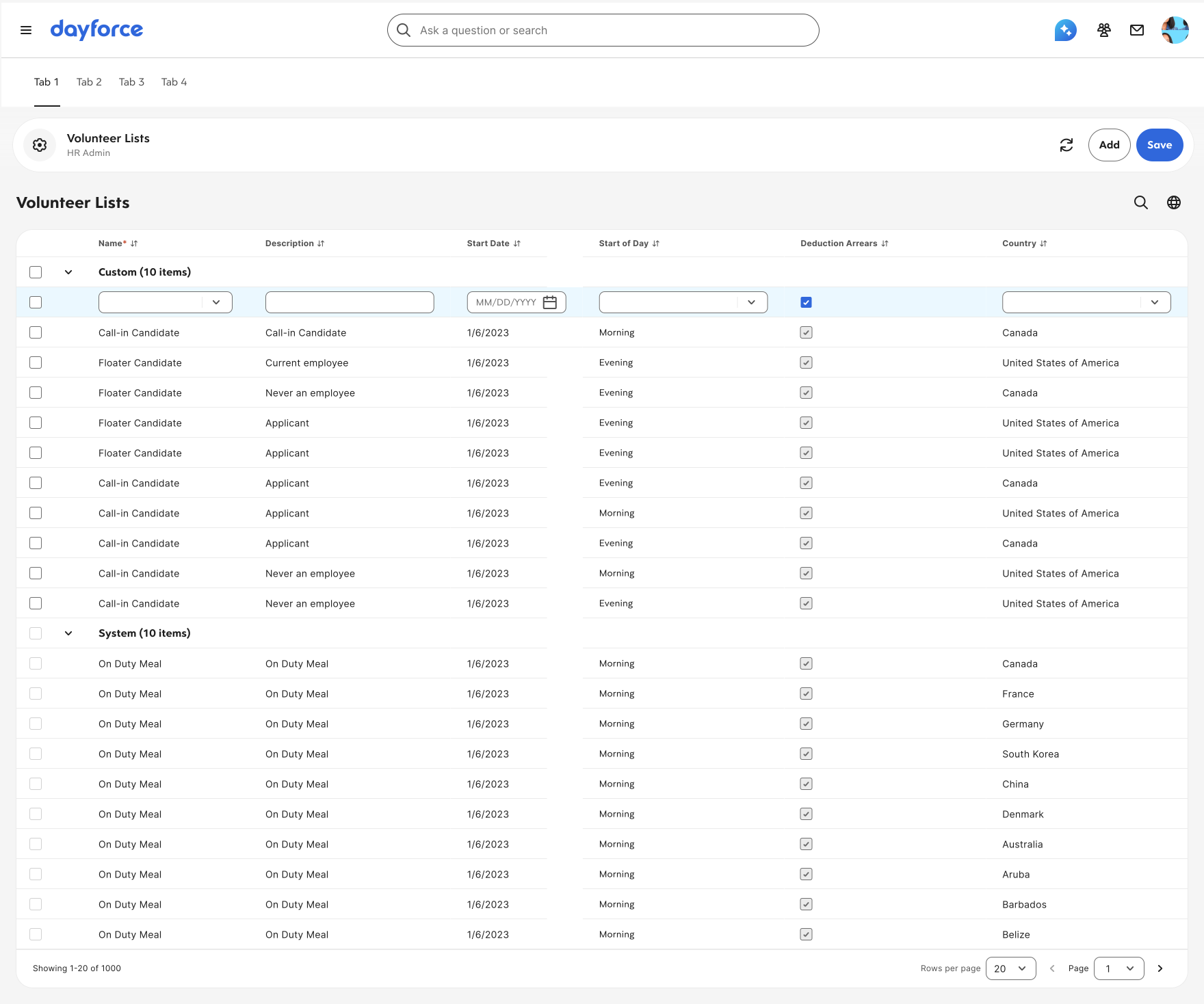
Inline editing, full control
Click to edit cells, keyboard shortcuts, bulk select, row actions, nested levels. For users managing structured records with frequent edits.
Data Tables — Admin Persona
02 Employee CRUD Template
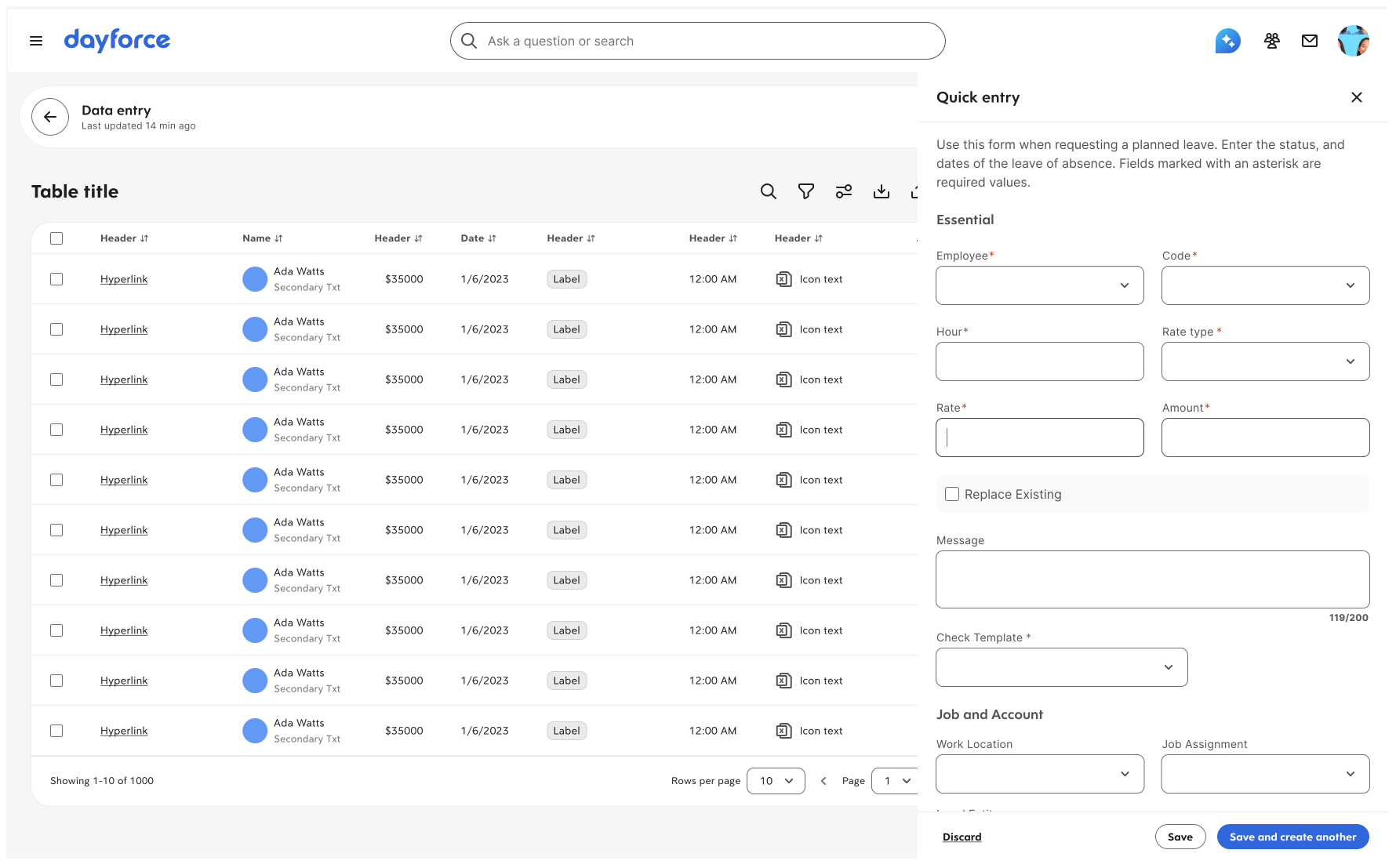
Form-based editing, guided flow
Row click opens a side panel for editing. Clean label-value interface with validation and autosaved state. Focusing on one record at a time.
Data Tables — Employee Persona
03 Density Options
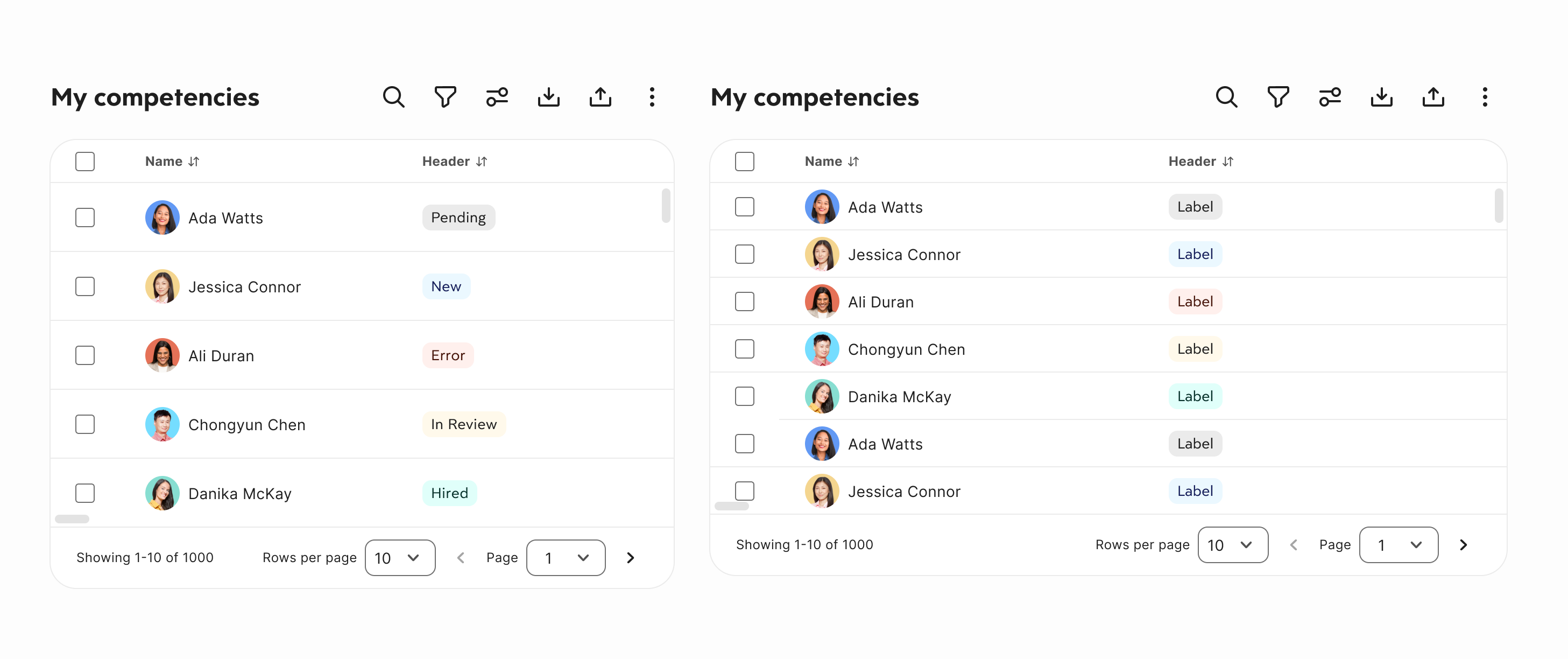
Configurable row density
Compact or Spacious. Teams configure defaults; users can adjust. Spacing tokens ensure all three feel intentional, not broken.
Data Tables — Density Variations
04 Filter Framework
Standardized filtering UI
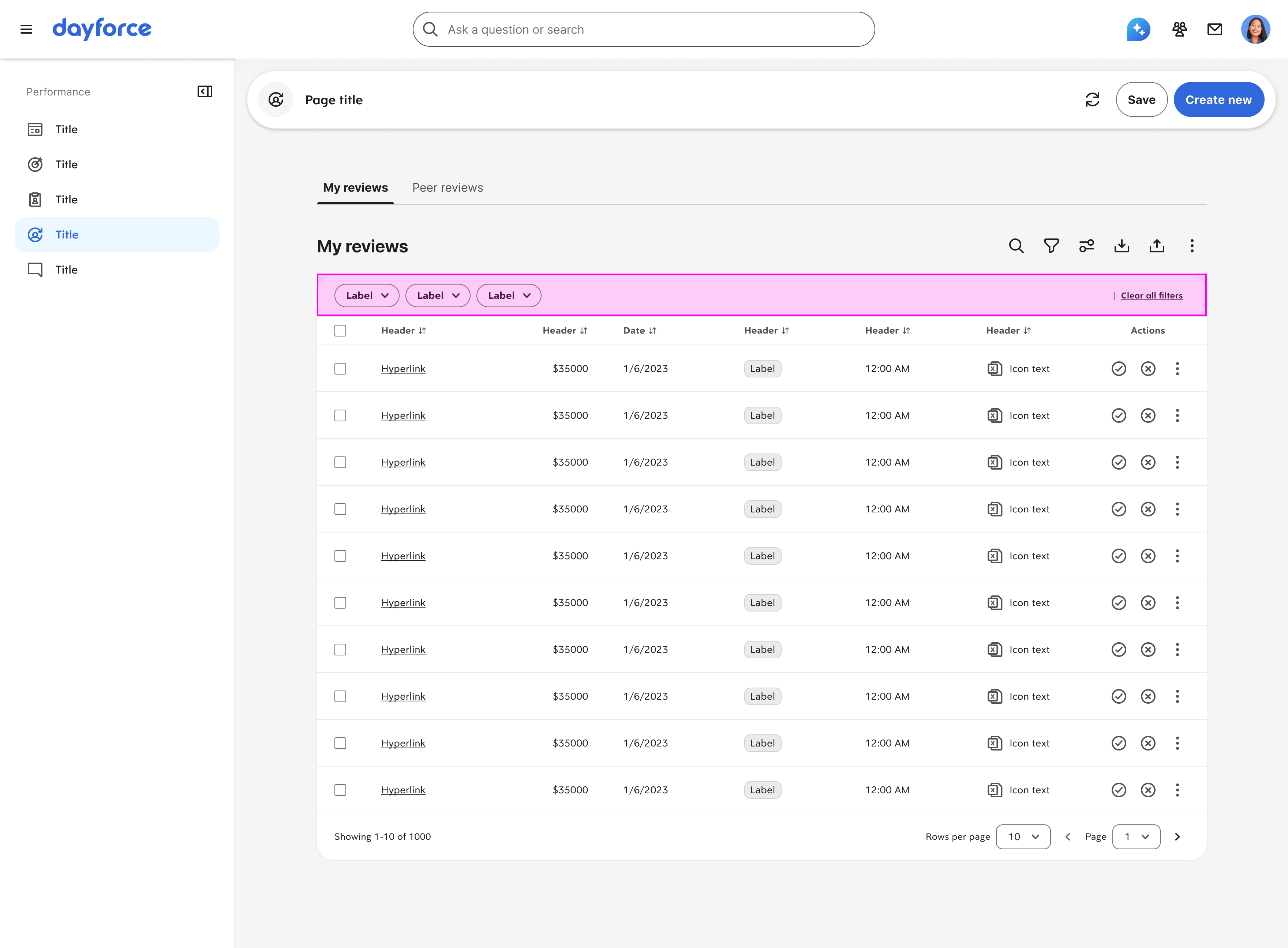
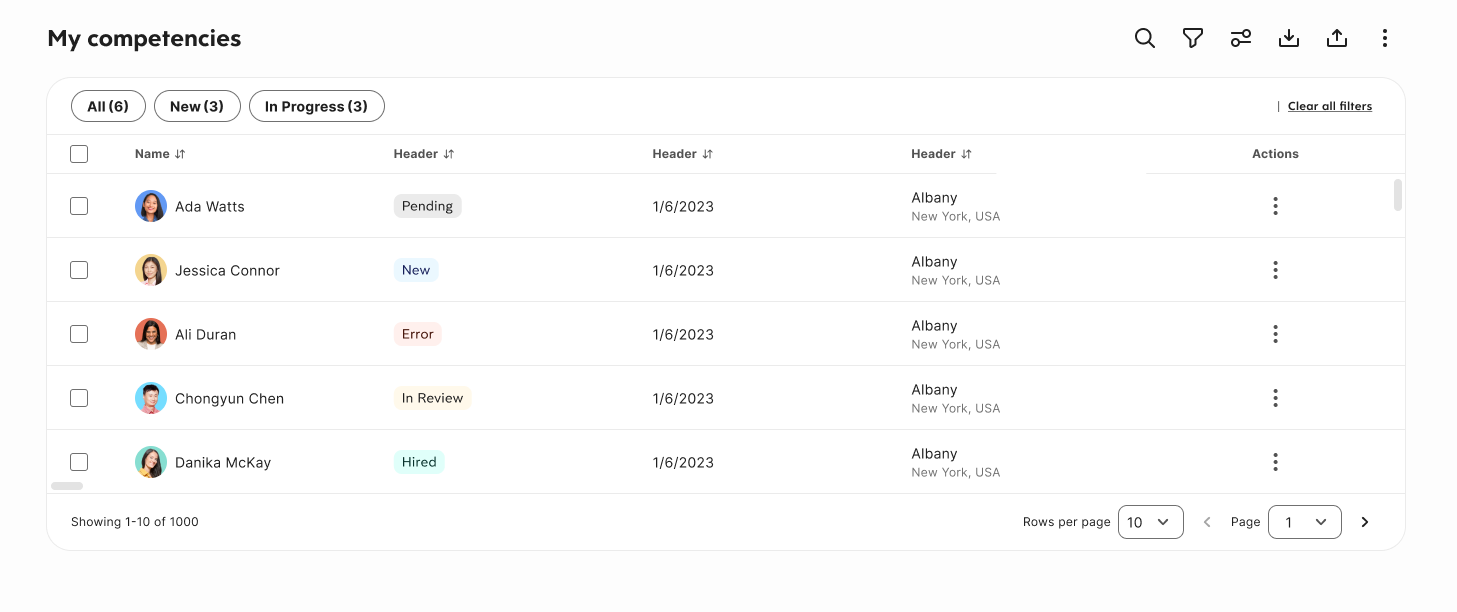
Simple, Standard, Complex Filter variations to suit different user needs
Data Tables — Quick Filters
Quick filters that are most commonly used by the user

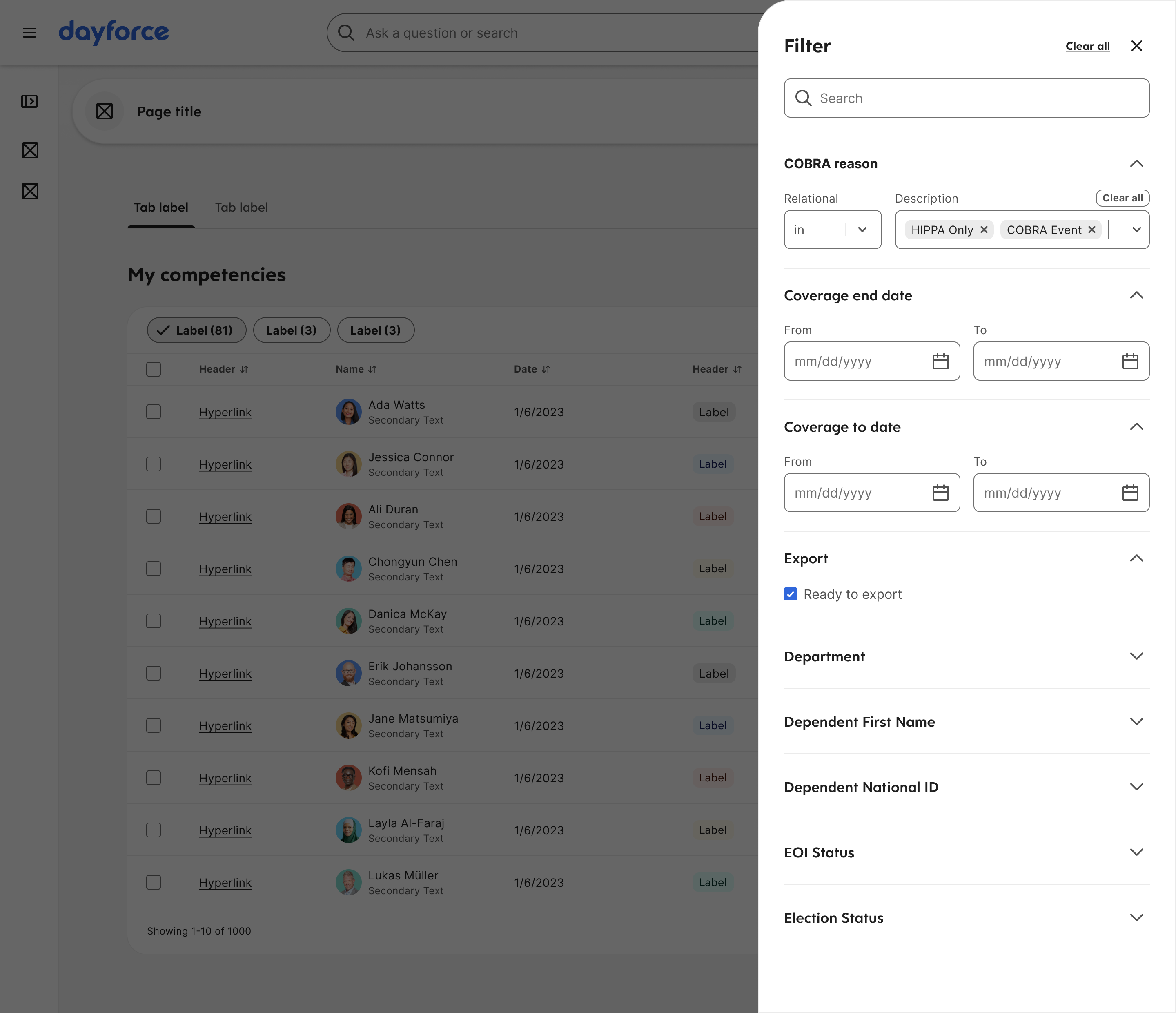
Data Tables — Filters Side Panel
Side Filter Panel to list all filters for the table
05 Actions Framework
Consistent table actions
Dayforce had 287 different toolbar actions across tables. One framework standardizes hierarchy:
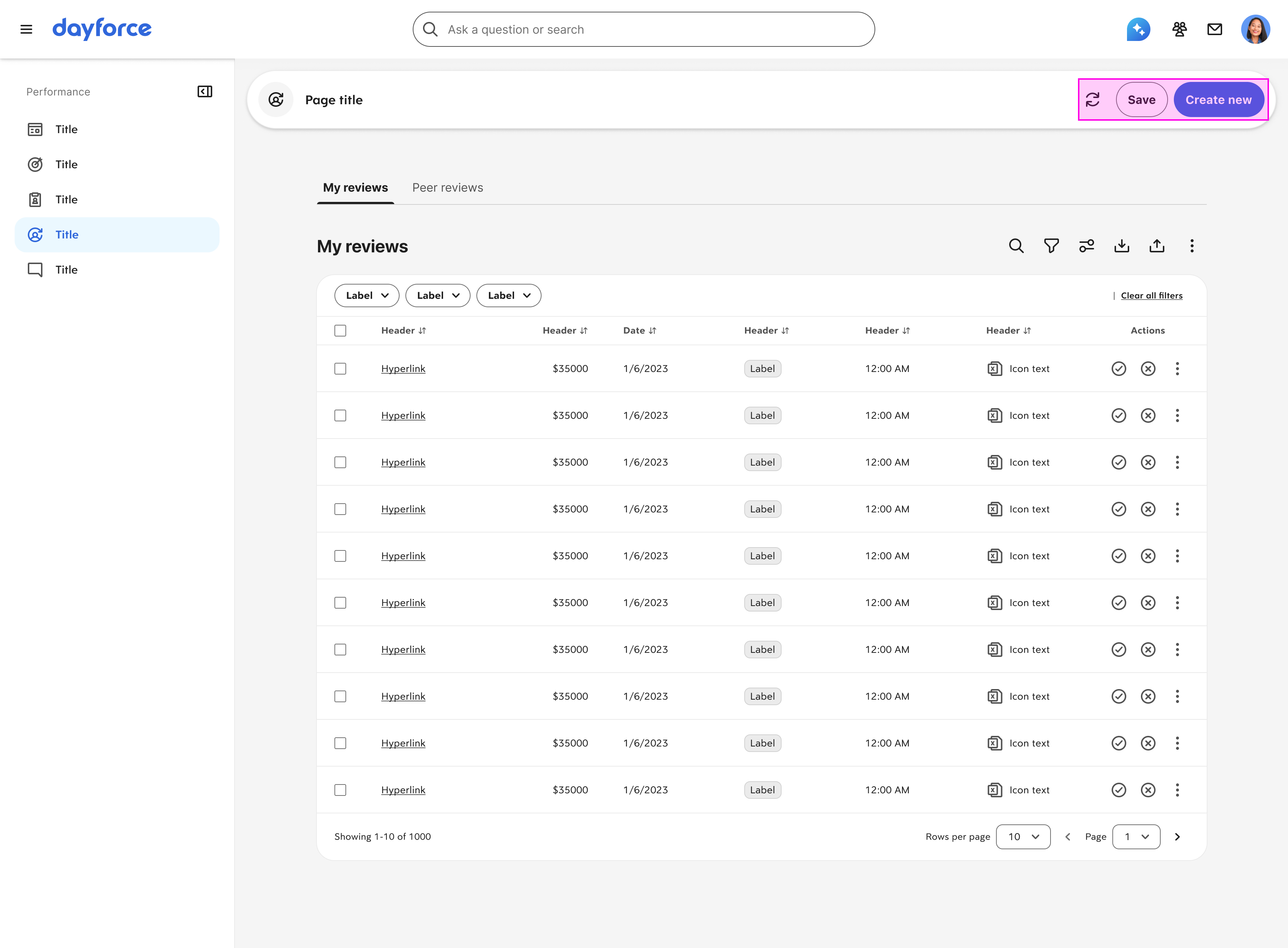
Data Tables — Page-level Actions
Primary page-level (or table) actions (ie. Create new, Refresh, Save)

Data Tables — Table-level Actions
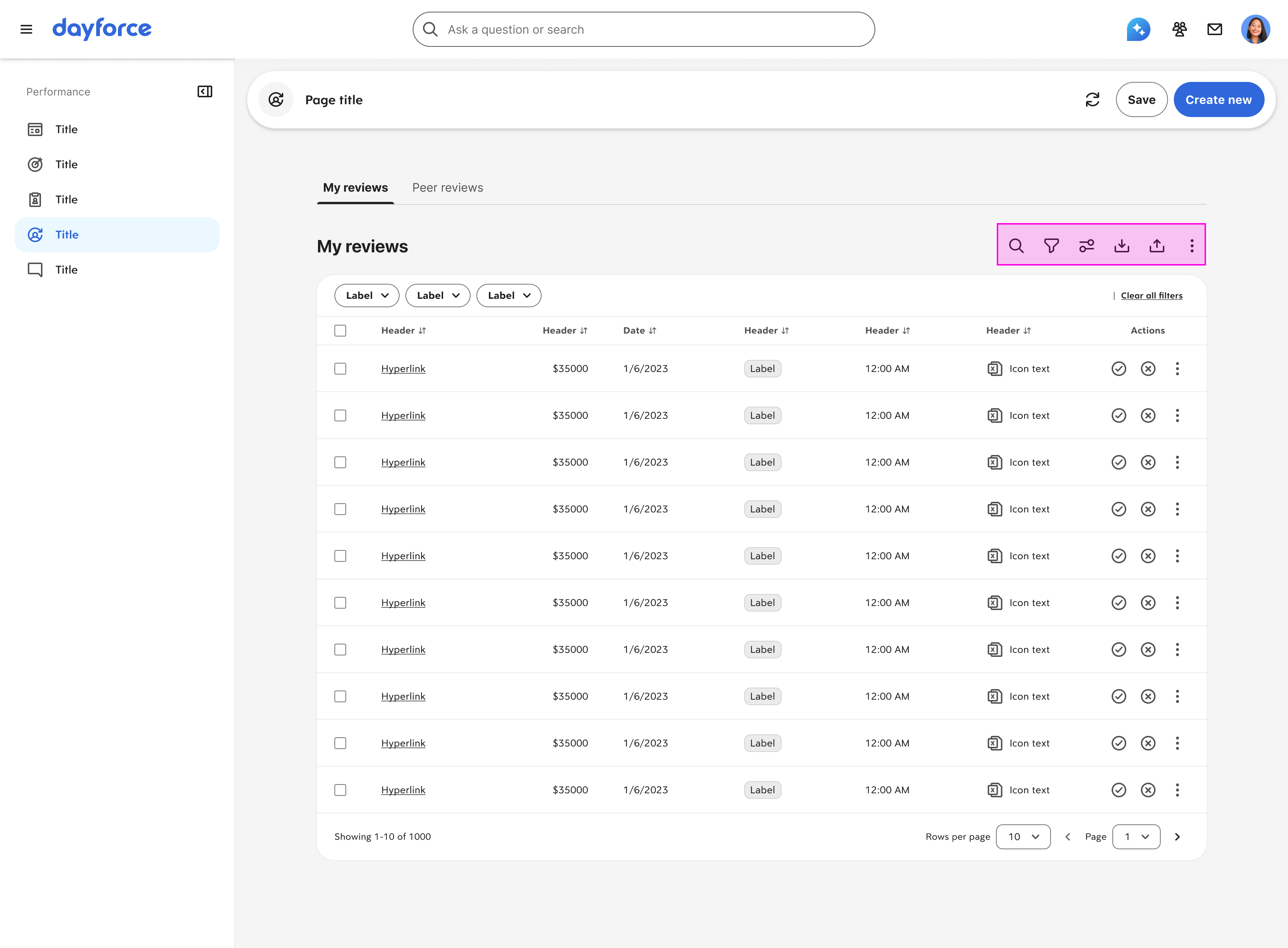
Common Table-level Actions (ie. Search, Filter, Custom View, Export, Import, View More)

Data Tables — Primary Row Action
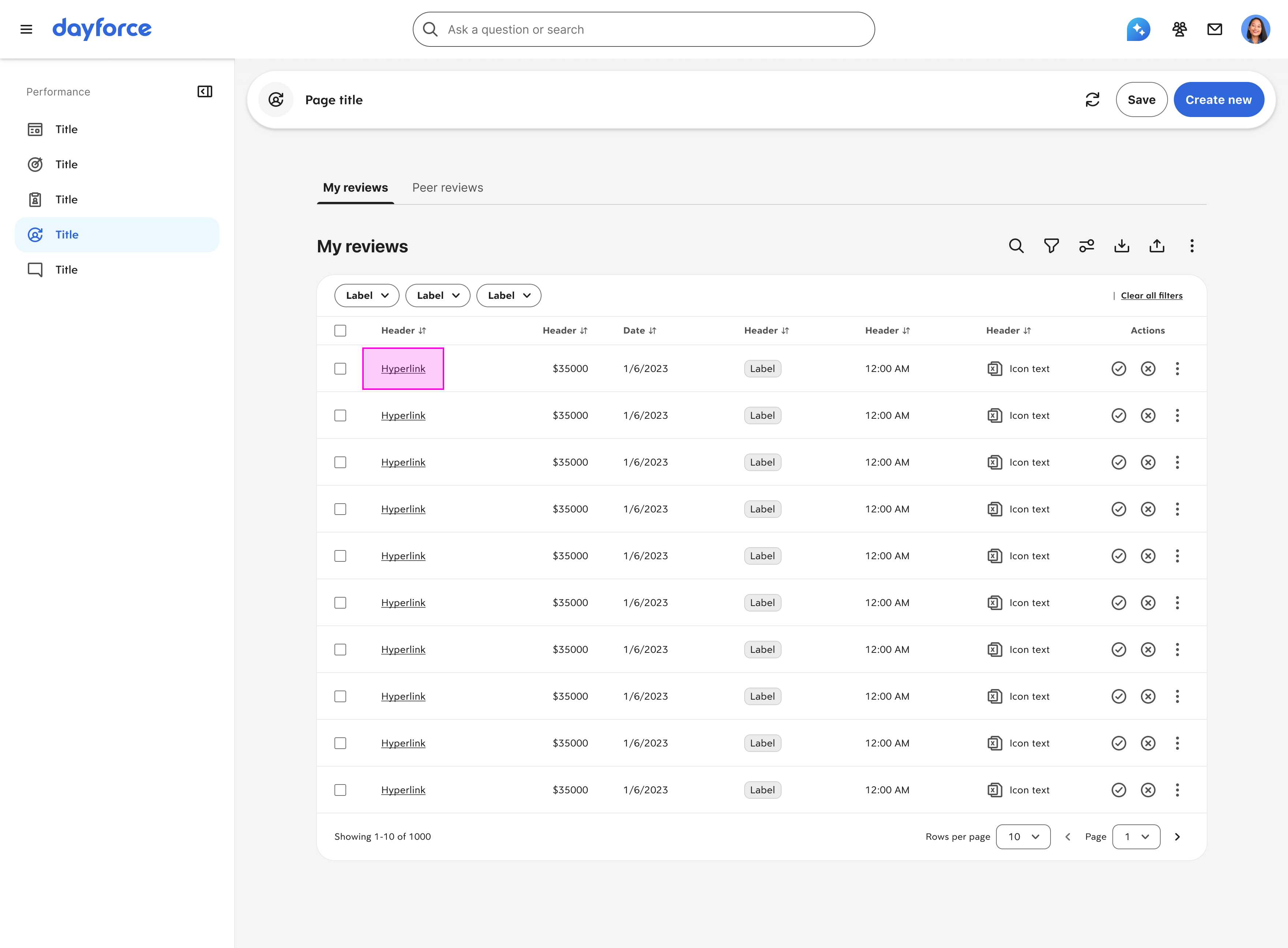
Highest Priority Row Action (ie. Edit, Link to Details page)

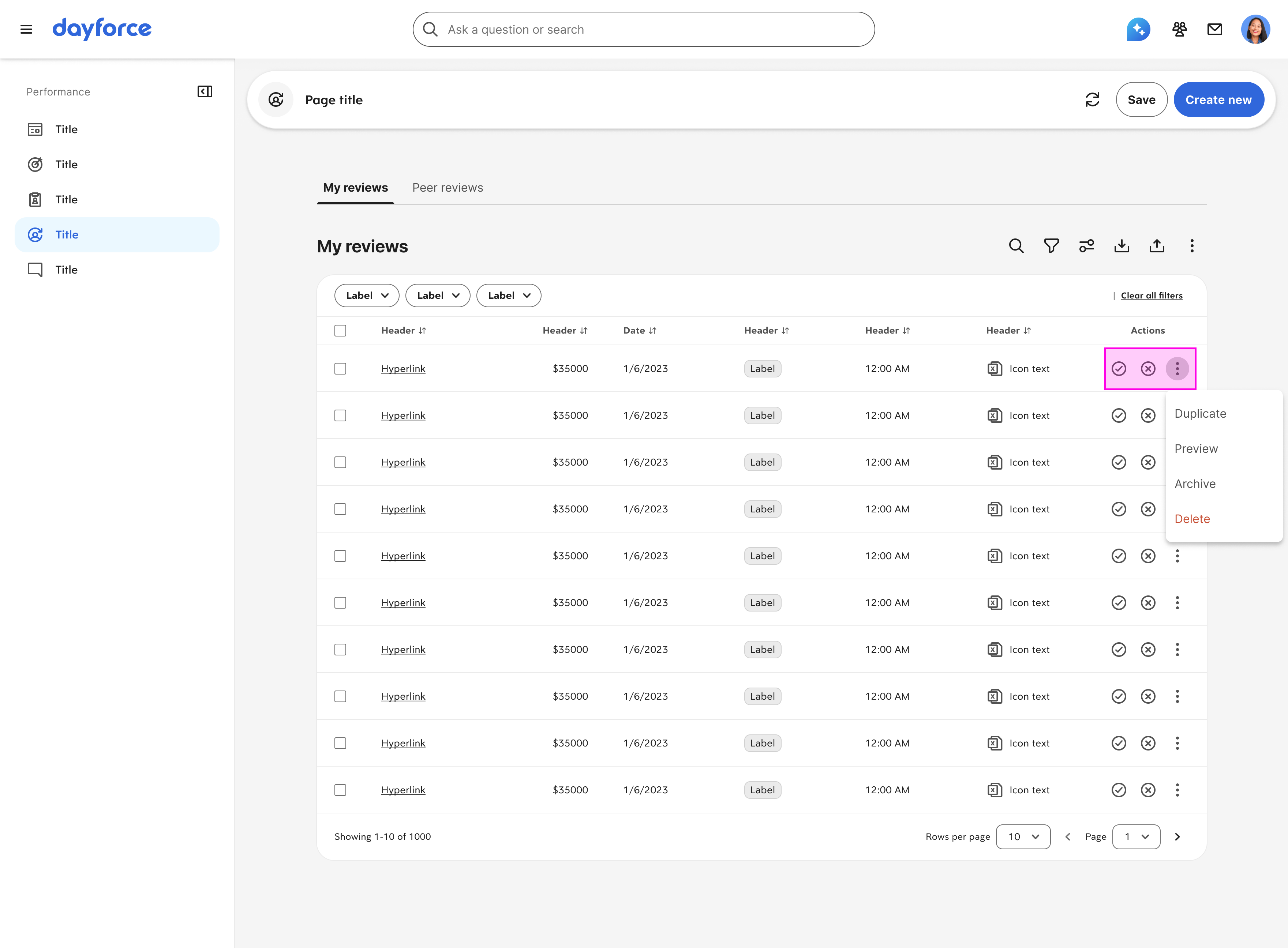
Data Tables — Secondary Row Action
Row actions that are feature specific. (ie. Hire, Decline)

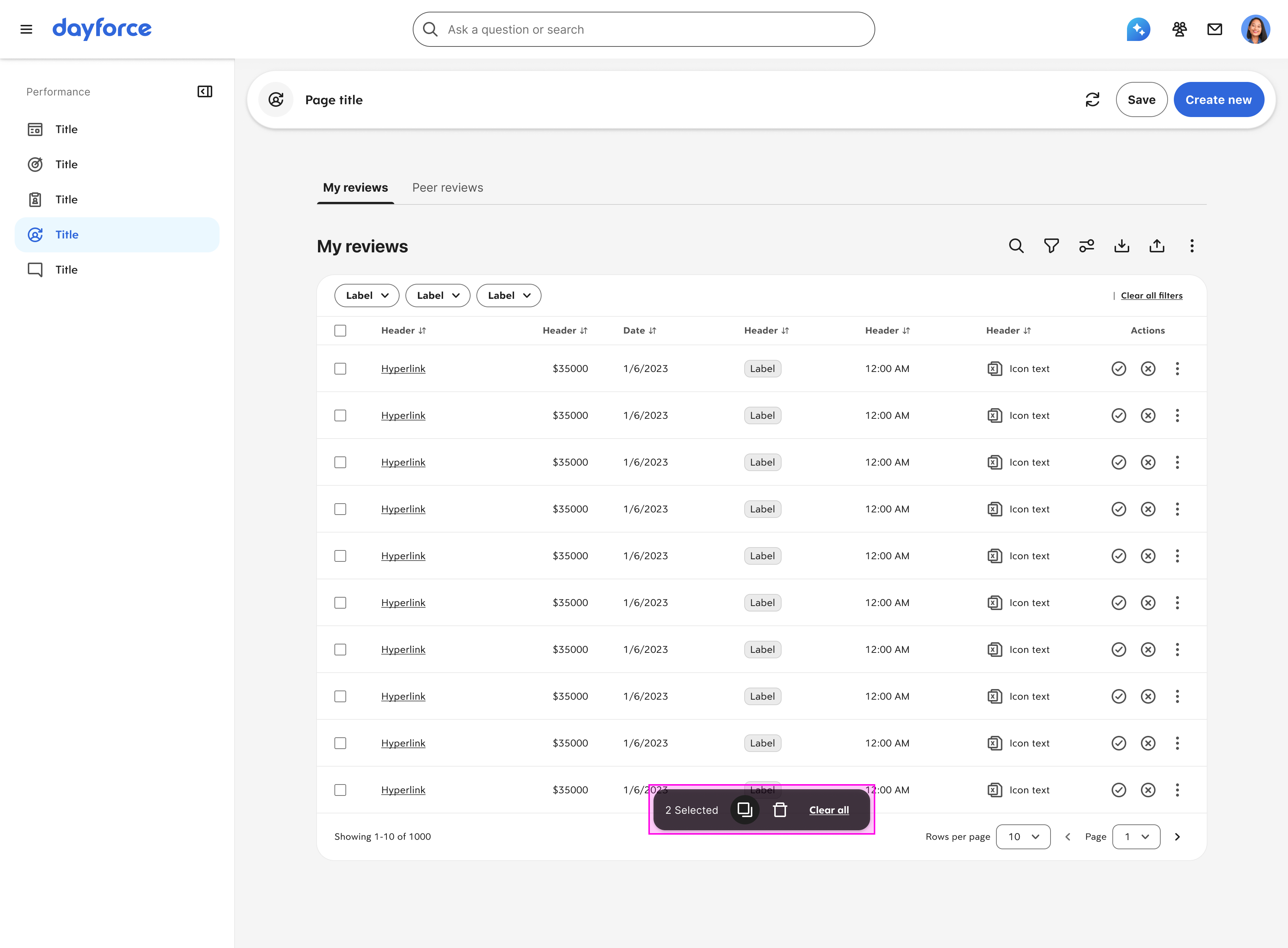
Data Tables — Bulk
Contextual or bulk actions (ie. Archive, Delete)
06 Fully Responsive
Works across responsive screen sizes
Table templates scale down to smaller widths with column prioritization, horizontal scroll guardrails, and responsive action placement.
Data Tables — Responsiveness
07 Accessibility Foundation
WCAG 2.1 AA baked in
Keyboard navigation, focus management, ARIA grid patterns, screen reader announcements for row operations—all embedded in the template so teams can't accidentally ship inaccessible tables.
Key Decisions

Why this approach worked

Configuration over code
Team templates configure via props, not forking components. A single source of truth means that fixing a bug or improving a pattern propagates to all 32 surfaces simultaneously—not one team at a time.
Two templates, not twenty
I identified two core interaction models that covered 95% of use cases: inline editing for admin workflows, panel-based editing for record management. High-edge cases get through configuration, not custom builds.
Frameworks, not features
Instead of designing every possible filter or action, I built extension points. Teams plug in their specific data without rebuilding the interaction model. The pattern stays consistent even as content varies.
Impact

Platform-wide standardization

80%
Product surfaces using Table 2.1 template
32
Fragmented implementations replaced by one pattern
27.6K+
Weekly component insertions across the platform
Consistency
Dayforce CRUD applied everywhere. Designers stopped rebuilding from scratch—teams ship new record management workflows in days, not weeks.
Accessibility
Zero accessibility defects post-launch. WCAG-compliant behavior is baked into the template—teams get full keyboard navigation and screen reader support without extra work.
Next Project
Notification Framework →